
SMASH
Sweet moves.
Big cascades.
Match colorful sweets, chase each level's goal, and make every move count.
A little match. A lot of magic.
Every level is a puzzle. Swap candies, build chains, and chase the target score before your moves run out.
Swap & Match
Swipe a candy toward a neighbor to match three or more. Or tap two neighbors to swap them.
Hit the Target
Each level has a point goal and a limited number of moves. Plan your swaps carefully.
Build Chains
Create cascading matches for bigger scores. The chain meter tracks your combo streak.
Daily Missions
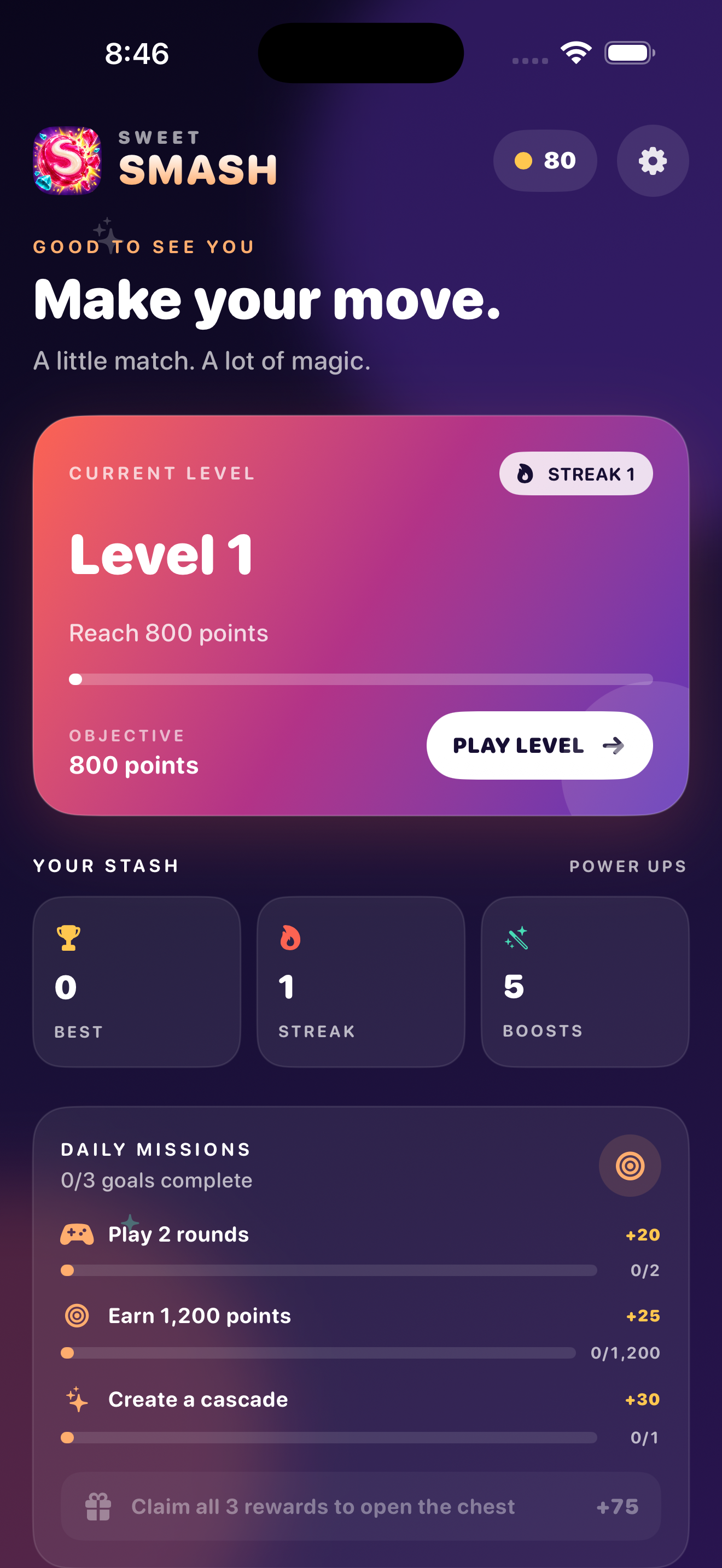
Complete goals like "Play 2 rounds" or "Create a cascade" to earn bonus rewards every day.
Boosters at the ready.
Tap a booster during a level for an extra edge. You hold a limited count of each — use them wisely.
Lollipop
Helps you clear a specific spot on the board when you need a precise move.
Shuffle
Rearranges the candies on the board, giving you a fresh set of possible matches.
Color Bomb
A powerful booster that can clear multiple candies at once for a big score boost.
Real screenshots.
Captured from the game running on iPhone.
Level select and daily missions
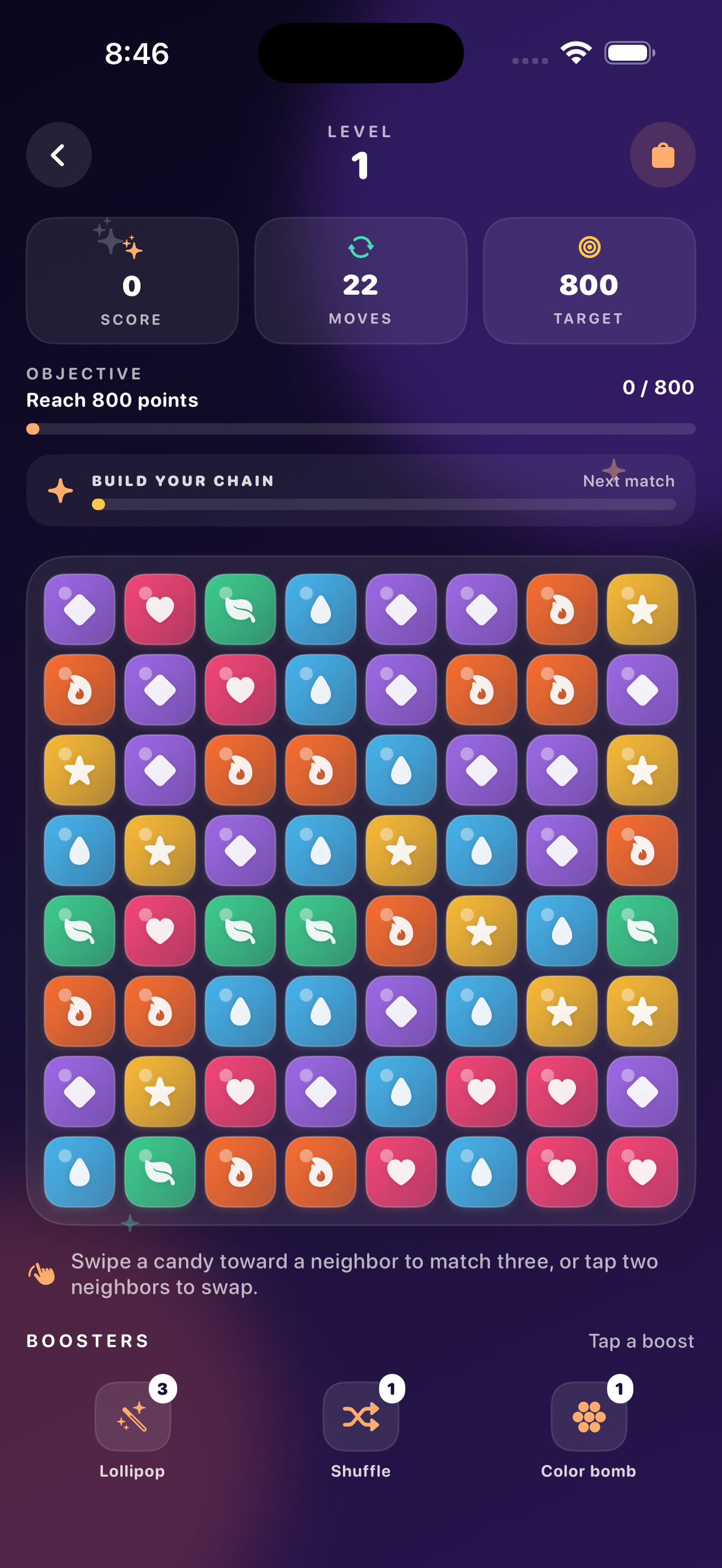
The board, objective bar and boosters
Play your way.
No accounts required. No forced sign-ins. Just you and the game.
Play offline
Sweet Smash is fully playable without an internet connection. Your progress saves locally on your device.
Optional iCloud saves
Turn on iCloud to sync your progress between your own Apple devices through your private iCloud account. Entirely optional — the game works perfectly without it.
Optional Game Center
Sign in to Apple's Game Center if you want to use its features. The game is fully playable without it — Game Center is never required.
Frequently asked
Swipe a candy toward a neighbor to match three or more of the same kind — or tap two neighbors to swap them. Clear the level's point goal within the number of moves shown at the top of the board. Build chains and cascades for bigger scores, and use boosters when you need a helping hand.
Yes. Sweet Smash is fully playable without an internet connection. Your progress is saved locally on your device.
Neither is required. iCloud saves are optional — if you turn on iCloud for Sweet Smash in your device settings, your progress can sync between your own Apple devices. Game Center is also optional and can be enabled if you want to use Apple's Game Center features. The game works perfectly fine without either.
In-app purchases are handled by Apple through StoreKit. To restore your purchases, look for the restore option within the game, or go to the App Store and restore from there. For billing questions or refund requests, please contact Apple Support directly, as Apple processes all payments.
Head to our Support page for troubleshooting tips and gameplay guides. If you need to reach us directly, email [email protected] with your device model, iOS/iPadOS version, app version, and a description of what happened.